

Website design for Roblox trading platform - Bloxswaps
Design of the main, MM2 Hub and global navigation for the Roblox item exchange platform. Desktop, mobile version, UI kit
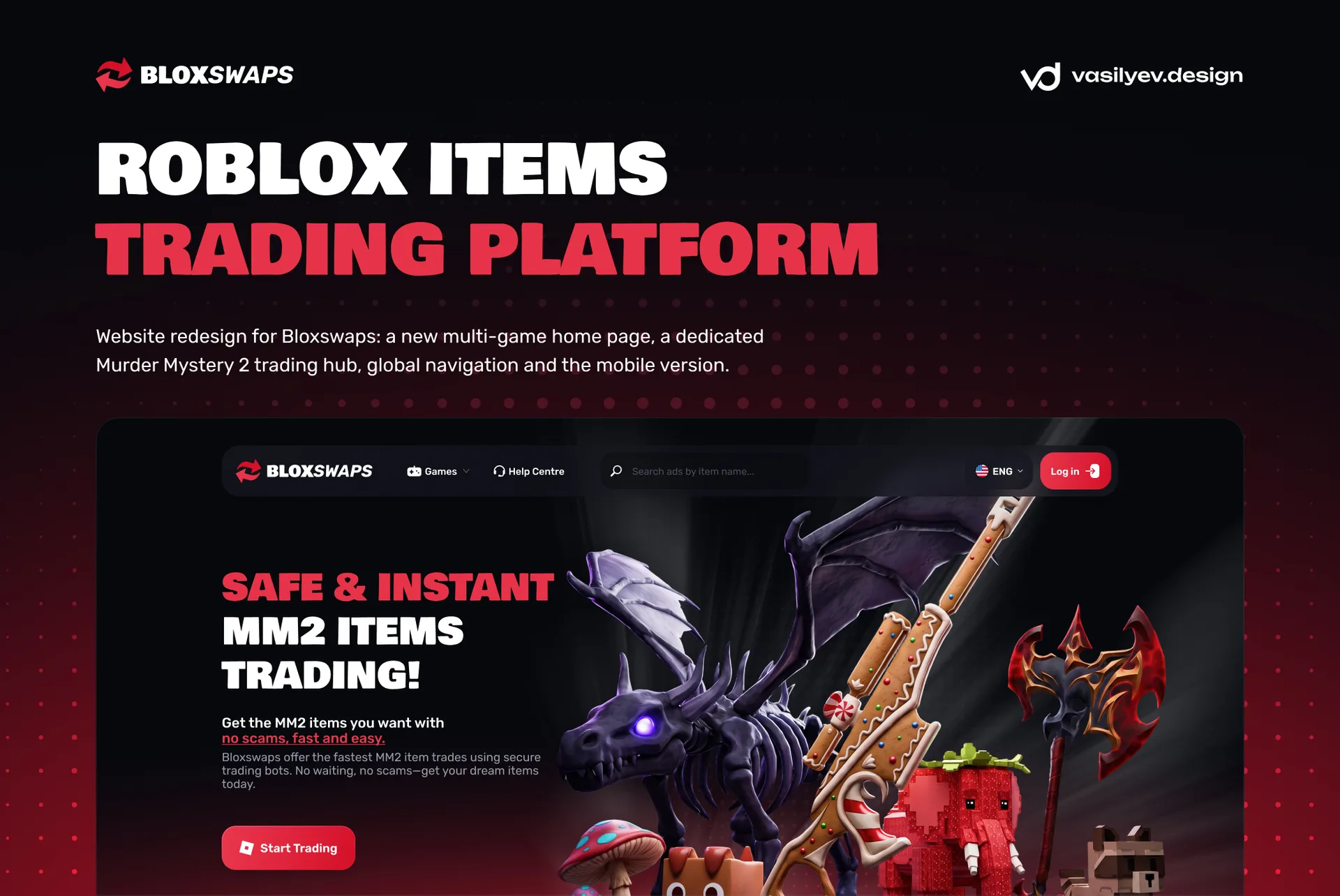
Bloxswaps is a platform for trading items in Roblox. On the site, players exchange knives, guns and pets from Murder Mystery 2, check the cost of items, look for partners for P2P exchange and carry out instant transactions with bots. We designed a new home page for Bloxswaps, a separate hub for Murder Mystery 2 and a single navigation for the entire site, on desktop and mobile versions.
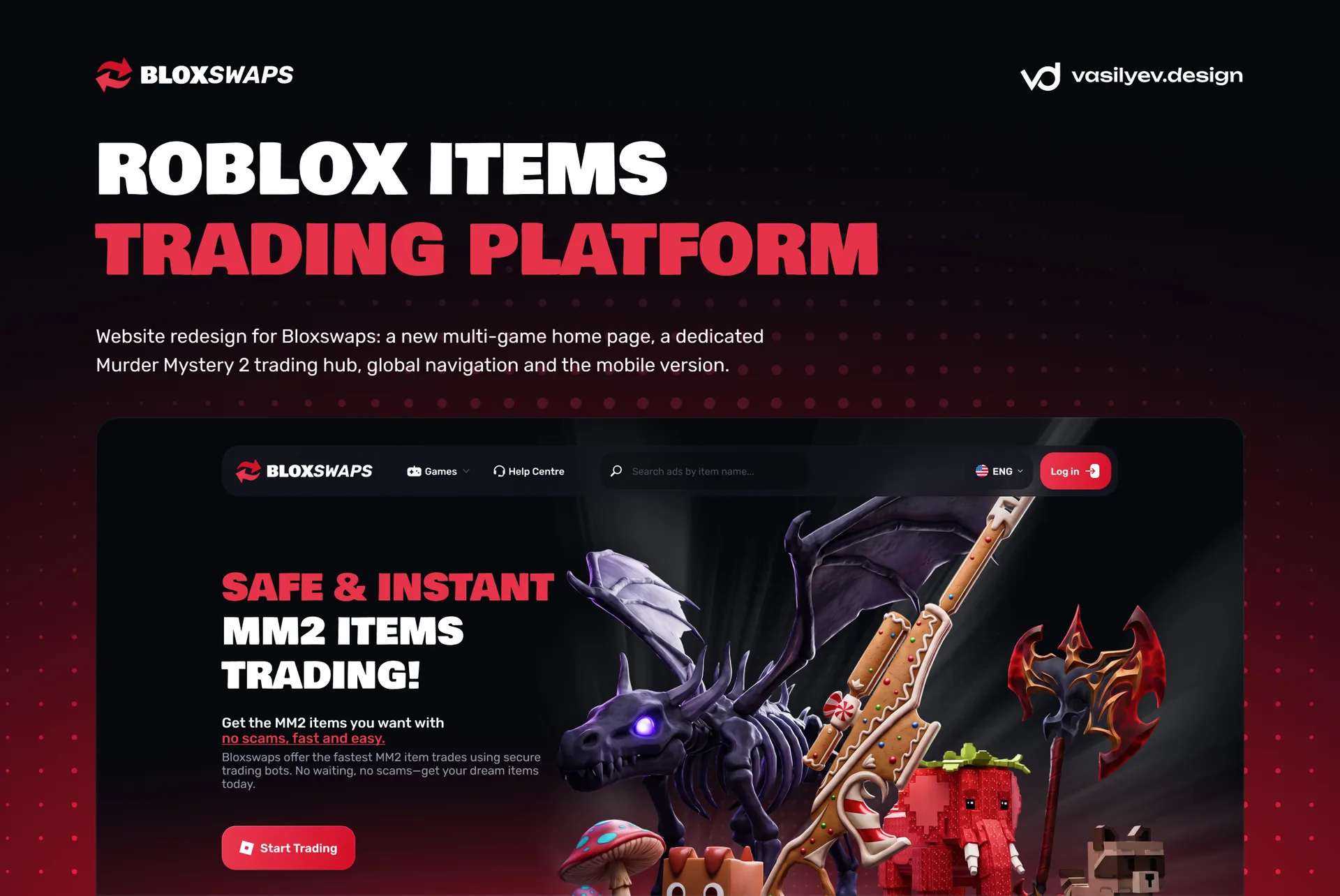
Below we tell you how the design of the site for Roblox trading works, why the navigation became two-level and how we put together an interface that is understandable to both an experienced trader and a schoolchild who came to change his first Godley.
What is Bloxswaps and why the redesign was needed
The site grew up around one game. Murder Mystery 2, or MM2, as the players themselves call it, is one of the most popular Roblox games with a huge item economy: knives and guns of varying rarities, from Common to Godly and Ancient, each with its own market value. Bloxswaps gave this audience secure trading via bots, value table, trade checker, and inventory tracker.
Then the platform started adding other games: Adopt Me, Pet Simulator 99, Blox Fruits, Grow a Garden, Steal a Brainrot, Rivals. The old structure, where everything was about MM2, stopped working. A new player from Adopt Me had nowhere to find his game, and the regular MM2 audience could not lose the usual sections. It was necessary to turn a site about one game into a platform for all of Roblox and at the same time not break what is already bringing traffic.
Task: from a site about one game into a platform for all of Roblox
According to the customer’s technical specifications, we designed three things:
global navigation, the same on all pages site;
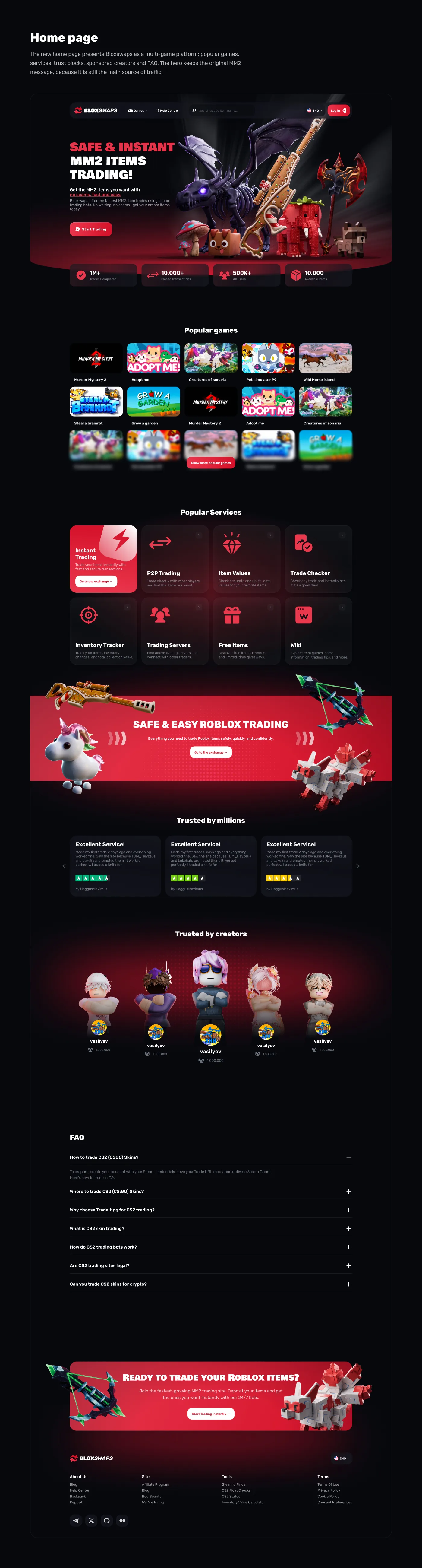
a new home page, which presents Bloxswaps as a multi-game platform;
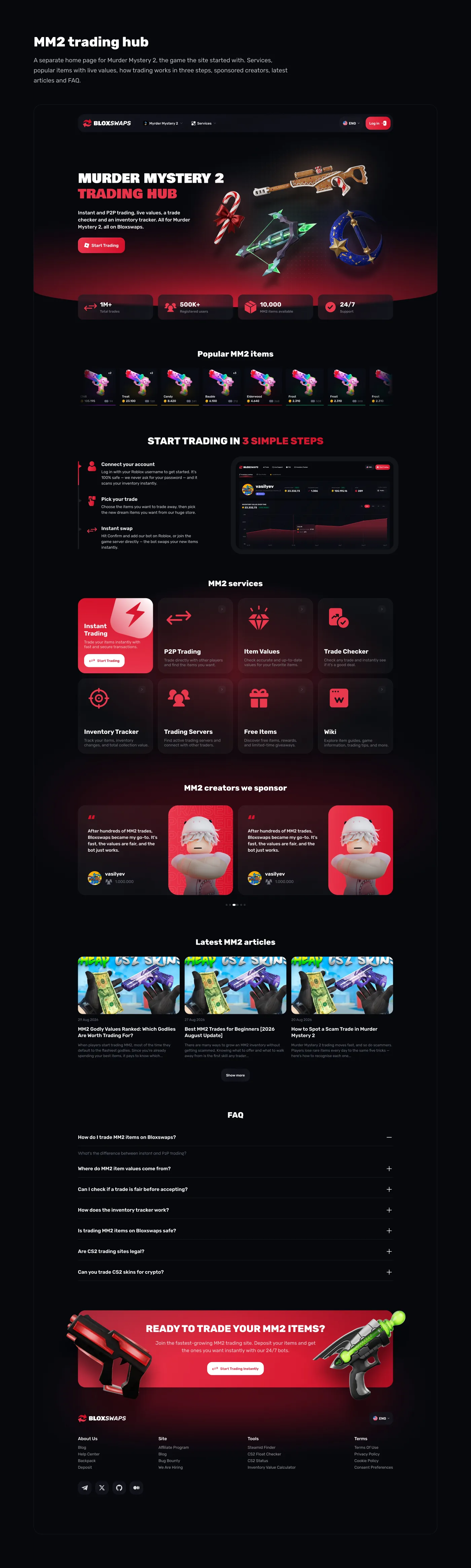
MM2 Hub, a separate home page for Murder Mystery 2 with all the services of this game.
We made each screen in two versions: desktop and mobile width 402 px. The Roblox audience mainly uses their phone, so we considered the mobile version as the main one, and not as a stripped-down version of the desktop.
A separate condition: Bloxswaps already had its own visual style and UI kit. We did not invent a new brand, but developed an existing one. All new blocks are assembled on the same colors, fonts, radiuses and cards as the rest of the site pages.
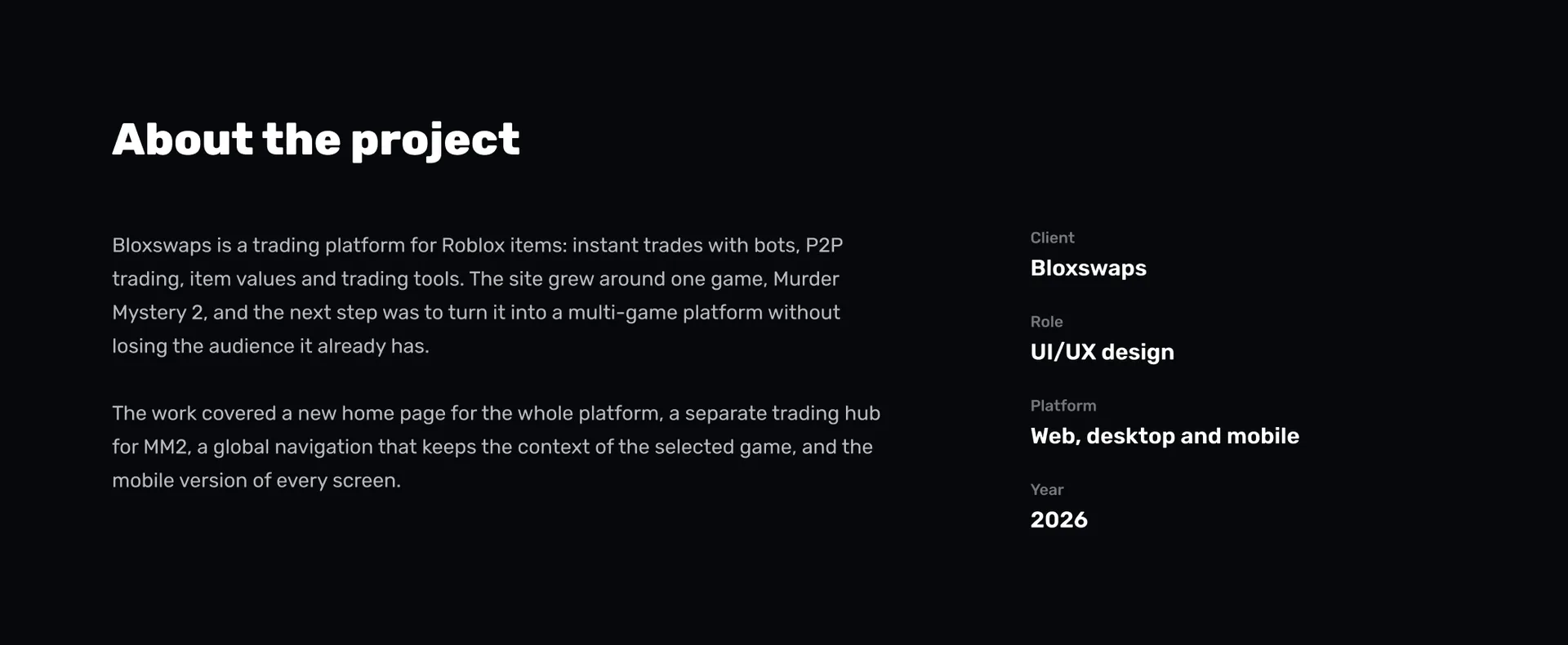
Global navigation: two levels instead of one line
The main problem of a multi-game platform is that each game has its own set of services. MM2 has instant trade, transaction verification and trading servers; another game may not have this. One menu line for all games immediately turns into a dump of twenty items.
We divided the navigation into two levels.

Top level: everything about the site
Logo, Creator Code, Help Center, Discord button, language switcher and the main Start Trading button. This line does not change, no matter what page the user is on. The red trade button is always in the same place, and it is visible from the first screen.
Bottom level: context of the selected game
On the left is a chip with the selected game, for example Murder Mystery 2. Clicking opens a list of games with a search: Adopt Me, Pet Simulator 99, Steal a Brainrot, Blox Fruits, Grow a Garden, Rivals. To the right of the chip are the services of this particular game: Trading, Values, Giveaways, Wiki.
The Trading item opens into a neat menu: Instant Trade, Trade Checker, Trading Servers and a link to the entire trading hub. The active section is highlighted with a red line under the tab, the same technique is used throughout the site.
So navigation grows with the platform. When Bloxswaps adds a new game, it will simply appear in the list, and its services will appear in the second line. There is no need to redraw the header.
We have drawn all the states: closed header, open list of games, open section menu. The developer doesn't have to think about anything.
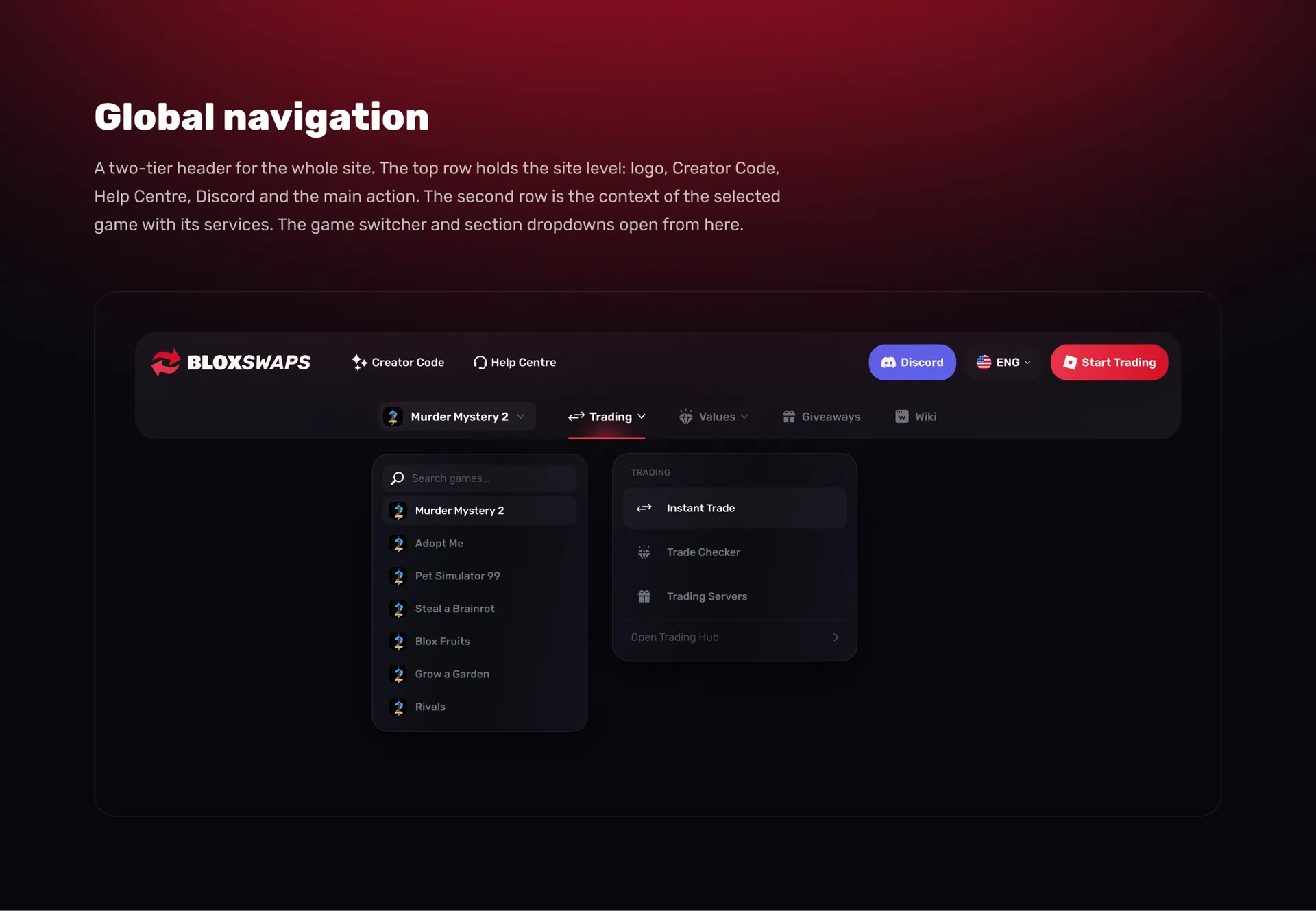
Home page: showcase of Roblox trading
Home page answers three questions of a new visitor: what kind of site is this, can you trust it and where to start.
First screen. Large headline about safe and instant trading of MM2 items, short explanation and Start Trading button. On the right is a 3D composition of recognizable Murder Mystery 2 items. The player sees in a second that he has come to the right place.
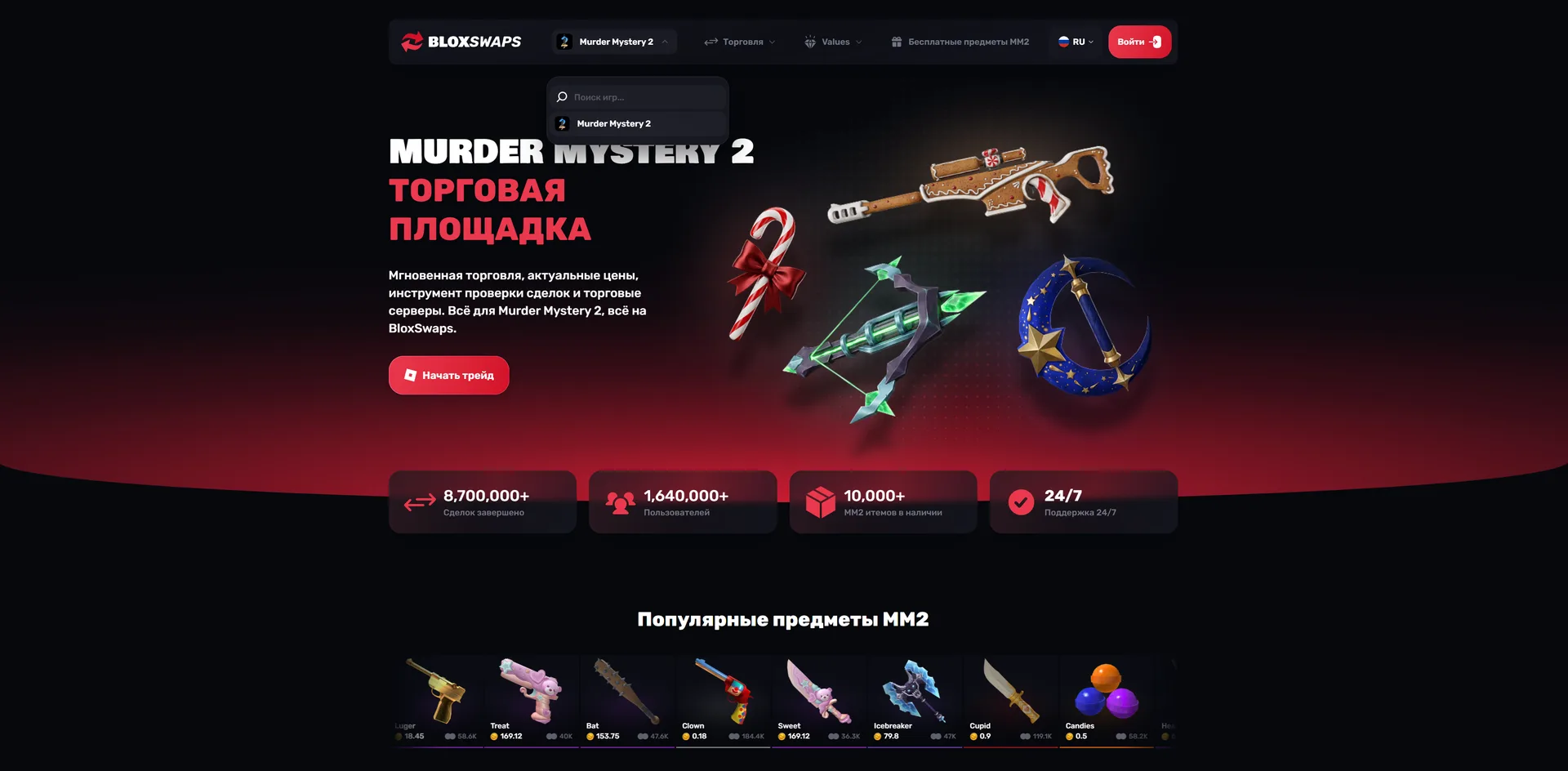
Trust numbers. Immediately below the first screen there are four cards: the number of completed trades, completed transactions, users and available items. For a trading platform, trust is the most important thing, so numbers stand above any other content.
Popular games. Roblox game cover grid: Murder Mystery 2, Adopt Me, Creatures of Sonaria, Pet Simulator 99, Wild Horse Islands, Steal a Brainrot, Grow a Garden. The bottom row goes into blur with the “show more” button. So you can see that there are a lot of games, but the page does not turn into a catalog.
Services. Eight cards: Instant Trading, P2P Trading, Item Values, Trade Checker, Inventory Tracker, Trading Servers, Free Items and Wiki. The main service, instant trade, is highlighted with a red card. The rest are made of dark glass with an icon and a short description.
Reviews and creators. A review block with ratings and a “Trusted by creators” block with 3D avatars of YouTubers and streamers who promote the site. For the child and teenage audience of Roblox, the word of your favorite YouTuber weighs more than any guarantees.
FAQ and final call. Accordion with frequently asked questions and a red banner “Ready to trade your Roblox items?” with a button. The footer is organized by columns: about the company, website, tools, documents.
MM2 Hub: a separate main one for Murder Mystery 2
MM2 remains the most important game of Bloxswaps, and it now has its own main one. This is the page that the player lands on after selecting Murder Mystery 2 in the navigation.
First screen. The title "Murder Mystery 2 Trading Hub" and a composition of game items: candy cane, crystal crossbow, crescent-shaped weapon, gingerbread sniper. A short description lists everything you can do with MM2 items on the site.
Popular MM2 items. A horizontal strip of cards with the price in coins, the number of owners and a colored rarity bar. By color, the player immediately distinguishes Godli from vintage, without even reading the signature.
Trade in three steps. Connect your Roblox account, select items, receive an exchange. Next to it is a preview of your personal account with a graph of inventory costs. The block removes the main fear of a newbie: that the transaction is complicated and you can lose items.
MM2 services, creators, articles. A grid of game services, a carousel of sponsored creators with large renderings of characters, a feed of fresh articles about prices and trades in Murder Mystery 2. Articles provide the page with constantly updated content, this is important for search engines.
FAQ. Questions specifically about MM2: where do item values come from, how to check a trade, is it safe to change to Bloxswaps.
Mobile version: 402 px, one hand, one finger
Most Roblox players log in from their phones, often right between rounds. Therefore, we created the mobile version of all pages in the same detail as the desktop.
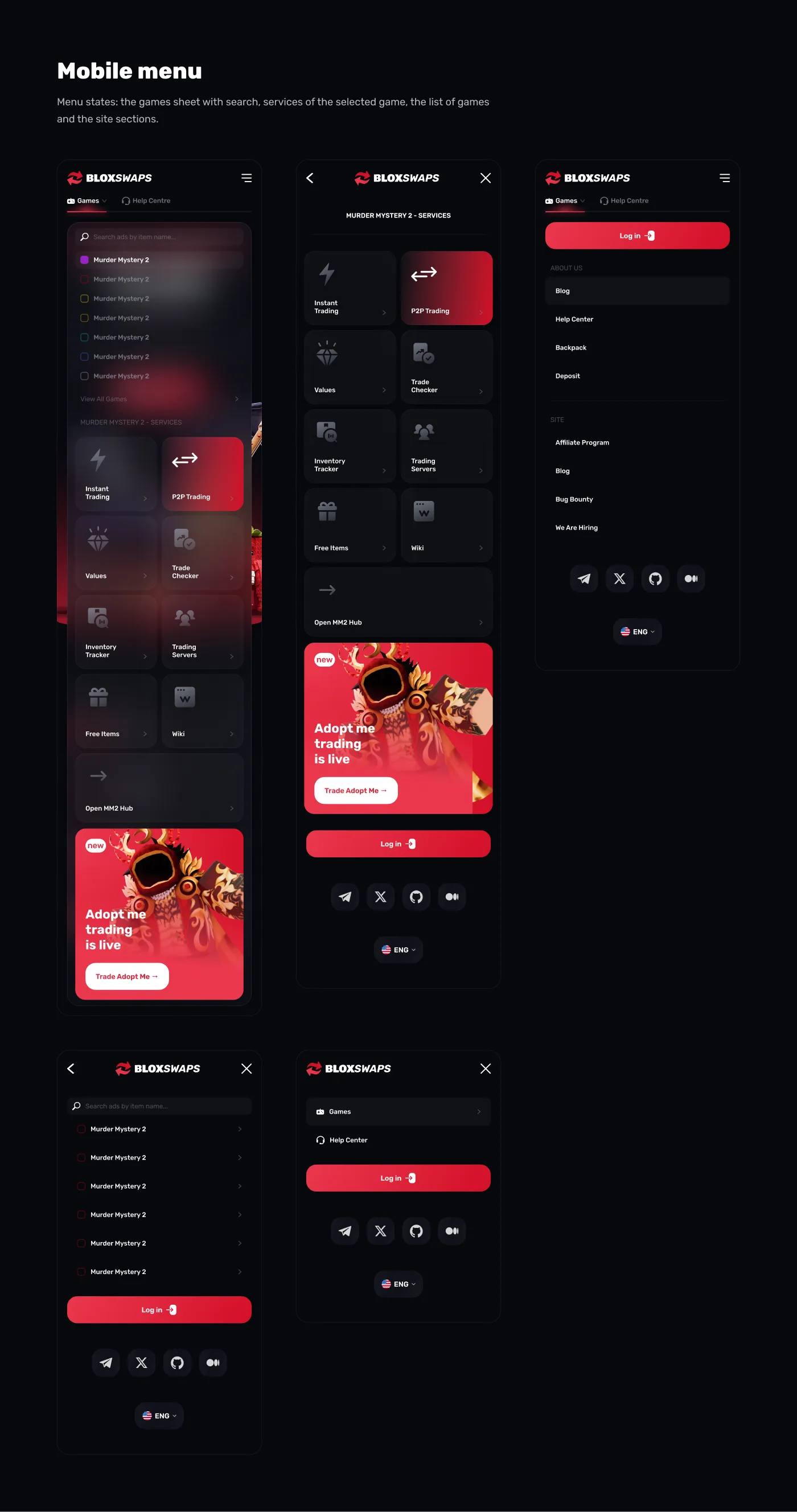
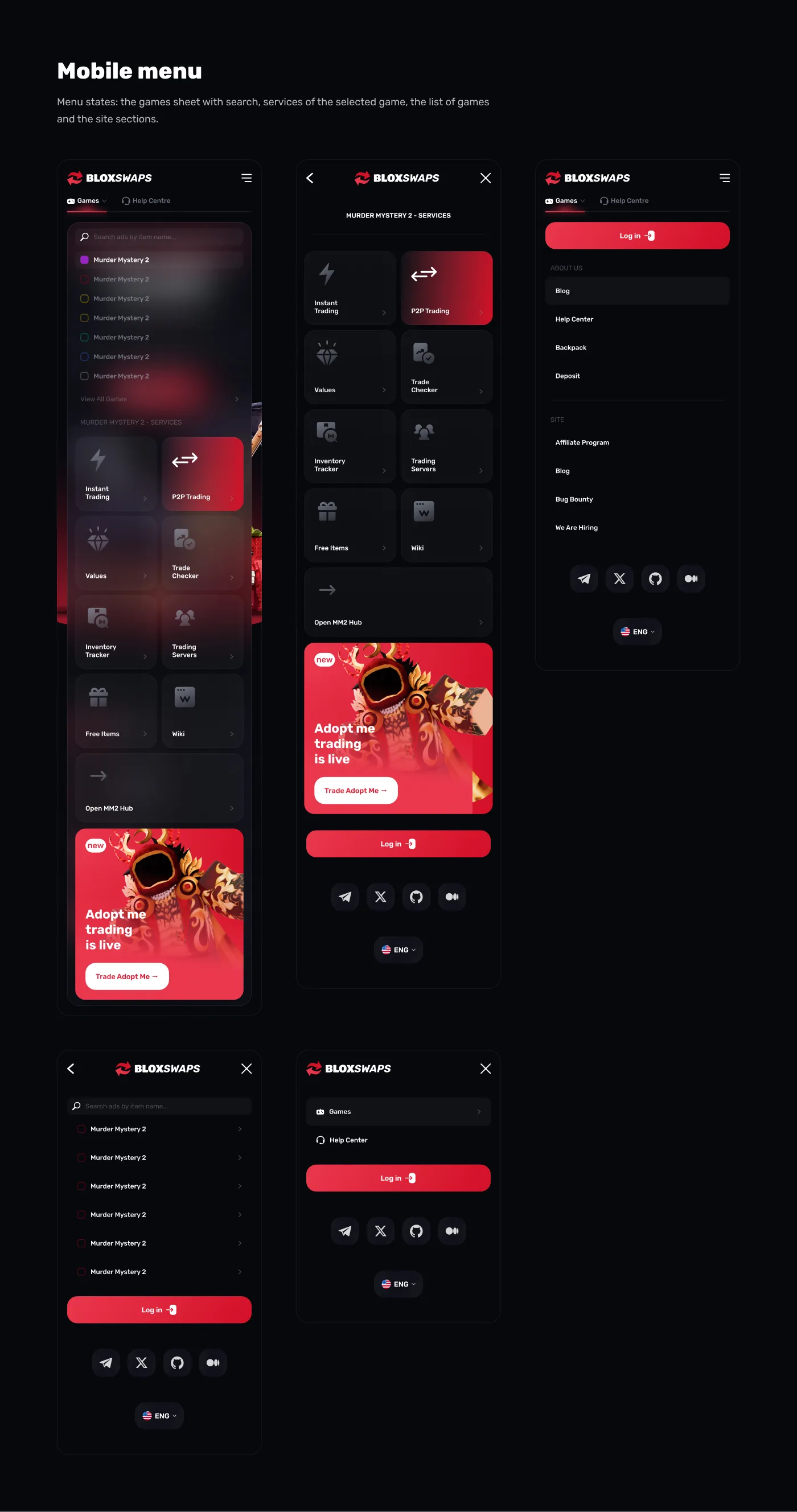
The header in the mobile version became compact: a logo, a burger and two tabs, Games and Help Center. Everything else is hidden in the menu, but the menu is not arranged as a long list of links, but as a separate screen:
game selection curtain with search and list of games;
services of the selected game with large cards in two columns, it is convenient to press them with your thumb finger;
promotional banner of a new game, for example the launch of Adopt Me trading;
sections of the site, social networks and language selection at the bottom.
On the pages, long grids have turned into carousel: reviews, creators, popular MM2 items scroll horizontally. Service cards are in two columns, the first screen contains the title, description and button without scrolling.
Design system and UI kit
The entire interface is assembled in Figma using components and auto layout. The same card, button or tab is used on the main page, in MM2 Hub, in the inventory tracker and in the P2P section.
Glass, light and 3D
Service cards, drop-down menus and navigation are made of dark glass: translucent fill, background blur, light edging on the top edge. Behind the key blocks there is a soft red glow. Items and characters are shown as 3D renderings rather than flat icons. The site looks like an extension of the game, and not like a stock exchange terminal.
How design helps SEO and conversion
A beautiful trading site is worth nothing if it is not found. Therefore, we made some decisions with an eye on the search:
each game now has its own landing page, MM2 Hub became the first of them, and such pages are ranked for queries like “MM2 trade” or “cost of Murder Mystery 2 items”;
block articles on the hub provide regular fresh content on the game;
FAQ on the main page and in the hub fits the FAQPage markup and extended snippets;
navigation with a clear hierarchy game → the service helps search engines understand the structure site;
the main action, the trade button, is visible on the first screen on any device, which means more search visitors reach the transaction.
What's the result
Bloxswaps has received a platform design that is ready to grow beyond just one game. A new game is added to the navigation without changing the header, each game can have its own hub using the MM2 Hub template, and the main one shows all Roblox trading at once. The mobile version is designed on all screens, and the UI kit allows the customer's team to assemble new pages from ready-made components.
Do you need a website design for a gaming project?
If you are making a platform for Roblox, a marketplace for game items, or a website for gamers, write to us. We will analyze the problem, propose a structure and show how your project might look.